




Capitol Federal® makes it easy to pay your mortgage online, whether you're using a CapFed® account or a checking or savings account from another bank.
Paying from a CapFed® Account?
If you're using a Capitol Federal checking or savings account, you can easily make your mortgage payments through True Blue Online®. You have the option to:
- Schedule one-time payments
- Set up automatic recurring payments
- Make principal-only or escrow payments
To get started, simply log in to True Blue Online® banking and make your payment today. If you have established a recurring payment and your minimum payment amount changes you will need to adjust the transfer amount prior to the transfer date.
Paying from Another Banking Account?
MessagePay provides a simple and convenient way for customers to make loan payments using external bank accounts outside of Capitol Federal. Payments can be made through multiple digital channels, including text, a secure website, and online or mobile banking.
The platform accepts payments from checking accounts, savings accounts, and debit cards, offering flexibility based on your preference. Payments are posted to the loan in real time, ensuring immediate account updates and improved visibility.
All transactions are protected with encrypted technology, ensuring your information remains secure throughout the payment process.
Setting Up Your Account
Verify Your Account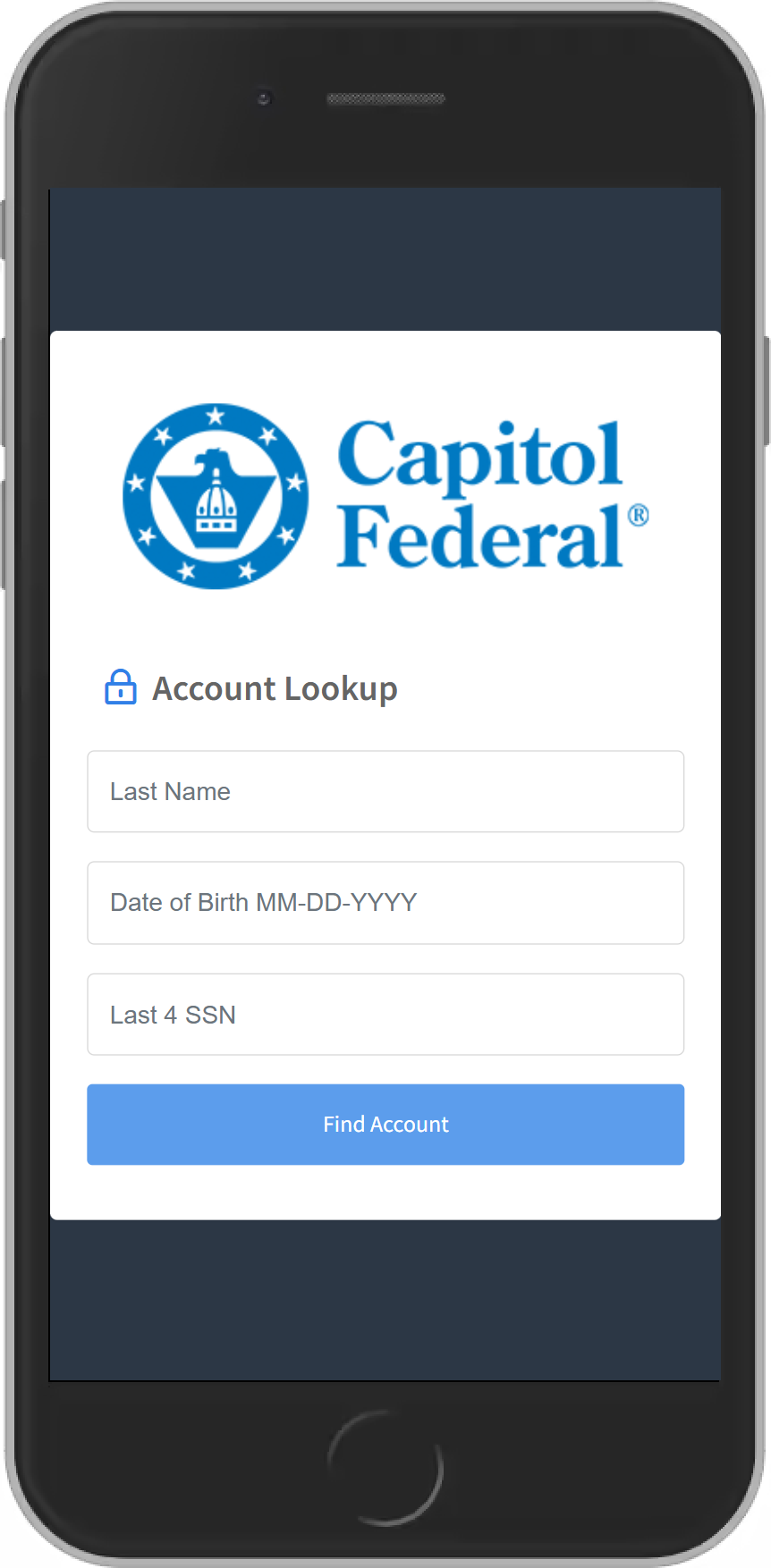
Create Your 4-Digit PIN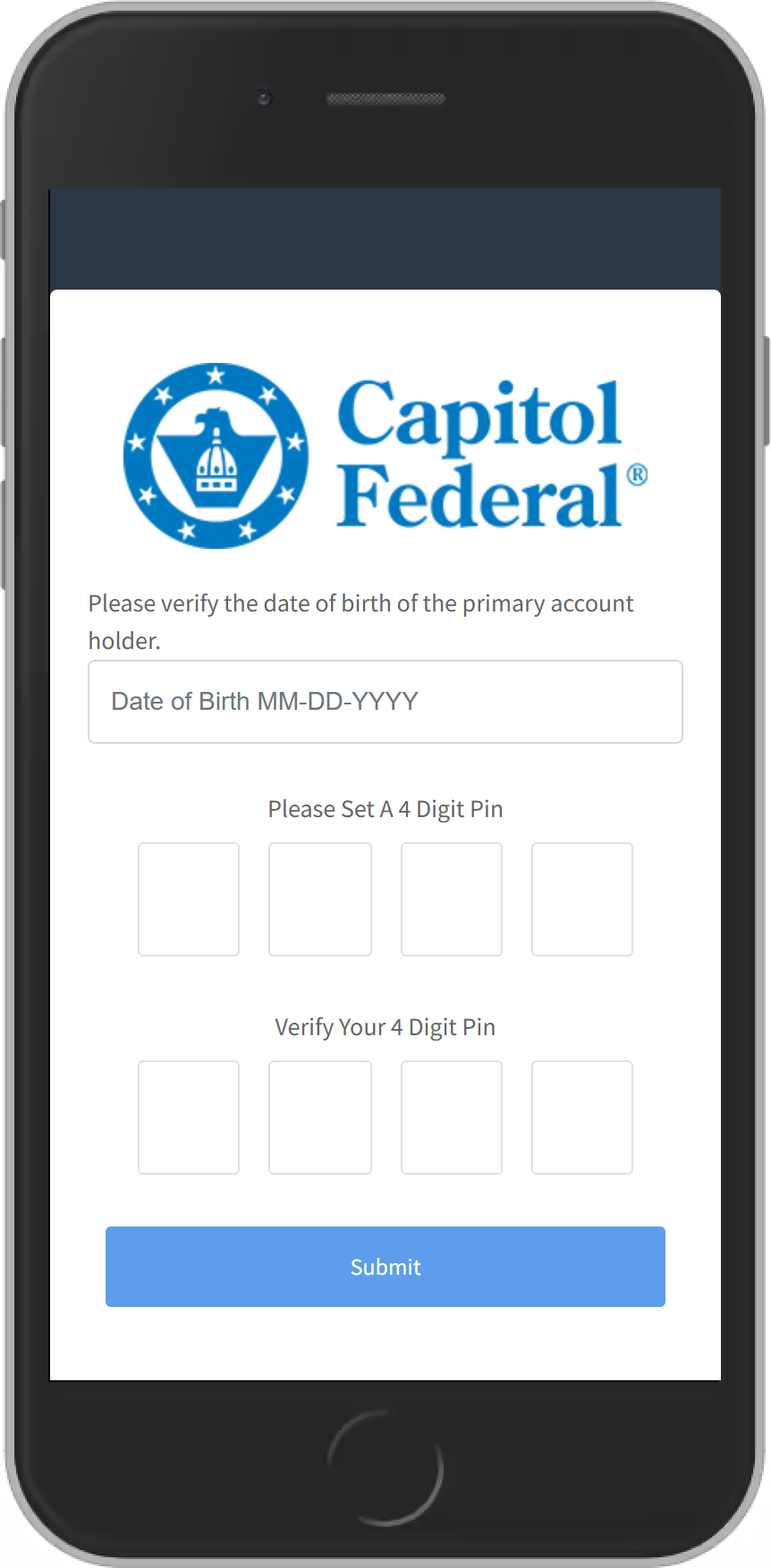
Add Your Preferred Payment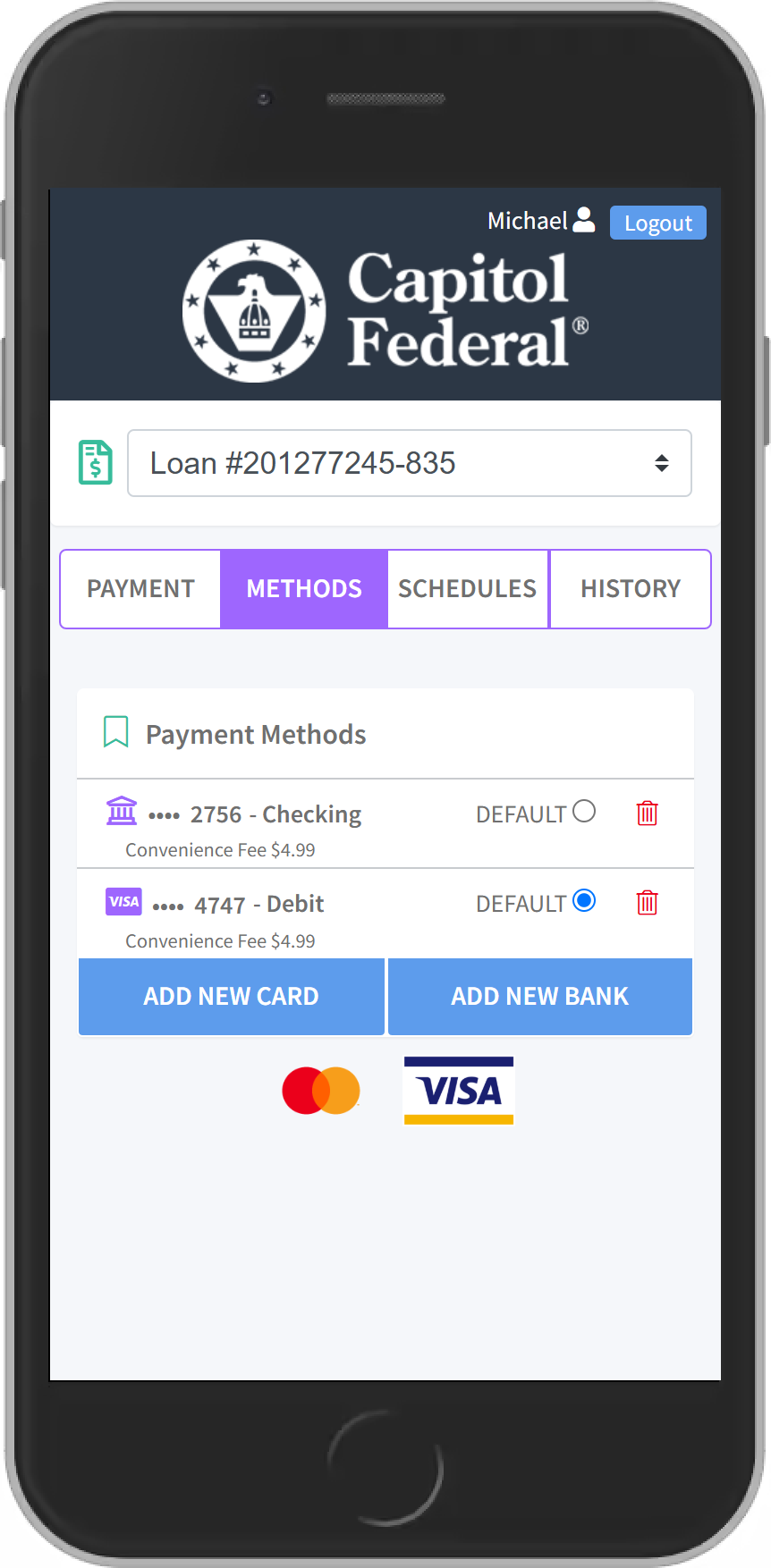
Make a Payment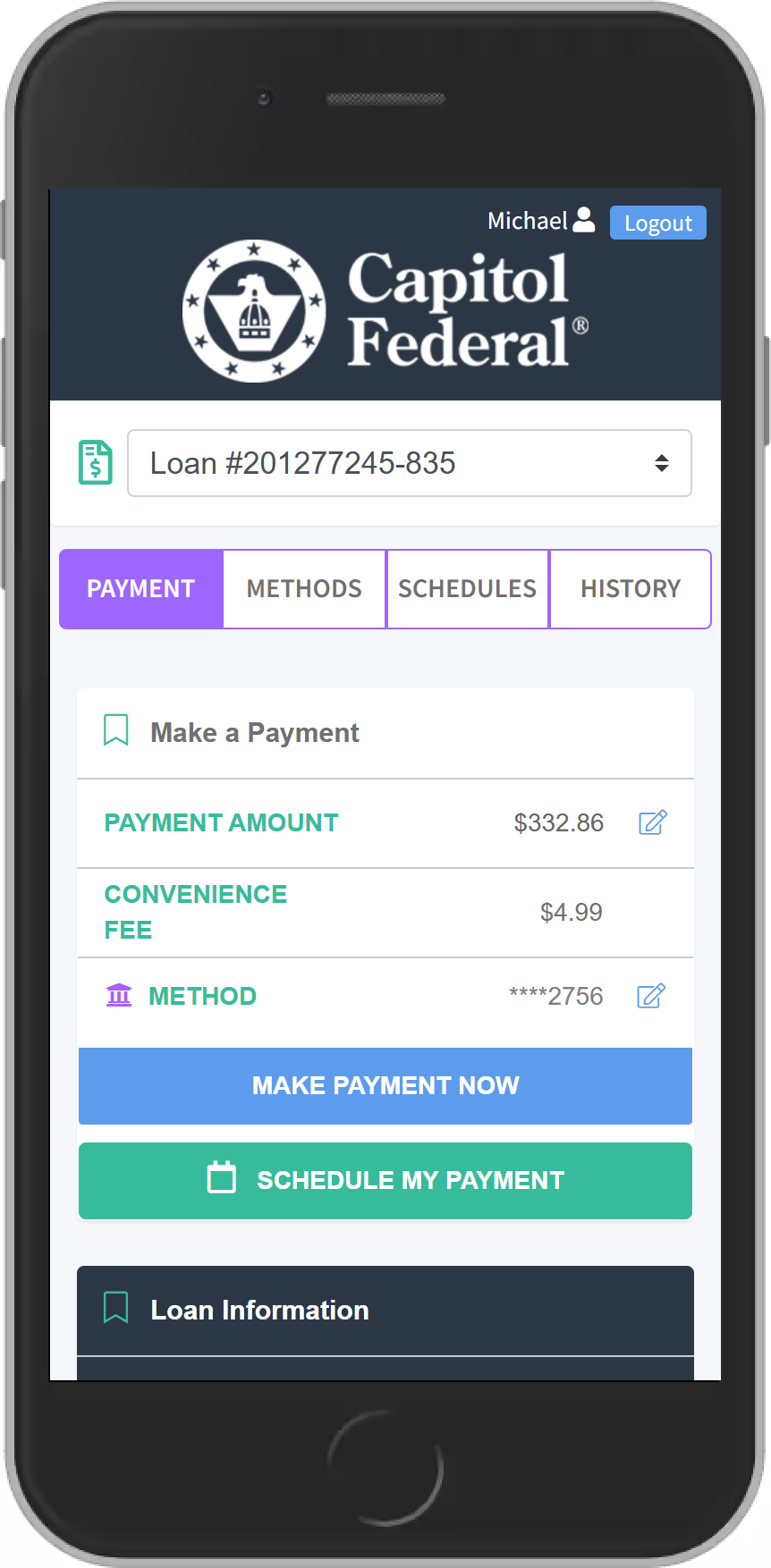
Make a Payment
What You Should Know
- You will receive a text message or email informing you of the amount due on your loan. You will be able to review your payment options or you will be able to opt out of our text message service by texting “STOP”.
- The link will take you to a portal where you will be asked to verify your account with your account number and date of birth.
- When you verify your account for the first time you will have to setup the following:
- 4 digit pin: Once you have entered your account number and date of birth, it will prompt you to create a 4 digit PIN. Store this information in a secure place as you will need this pin number to verify future payments.
- Preferred method of payment: To make a payment you will have to add your preferred form of payment in the portal. You can do this by selecting ADD NEW DEBIT CARD or ADD NEW BANK ACCOUNT which will prompt a secure website for you to input your information. If done correctly, there will be a message stating ‘Payment Method Success’ and you will be redirected to the payment portal.
- Once your account has been successfully verified, you will be directed to the payment portal where you’ll be able to see all of your loans and will also be able to select your preferred payment method.
- The fee for ACH transactions is $4.99; The fee for Debit Card transactions is $9.99 for Mortgage and Consumer loans, Commercial loans the fee is $22.99.
- Daily transaction limit is $10,000; Monthly transaction limit is $50,000.
-
Log in to your online and mobile account using your smartphone, tablet or desktop and select ‘Make a Payment’ from the menu bar located on the left. This will take you to the payment portal where you will have to verify your account.
-
If you choose to pay from a checking or savings account the fee is $4.99. Using a debit card, there is a $9.99 fee for Mortgage and Consumer Loans. The fee for Commercial Loans is $22.99. If your loan payment is returned by your other financial institution, we do charge a $25 returned payment fee.
-
Yes, you will have to access the payment portal through our website or online and mobile banking. However, you will not receive any text notifications regarding payment reminders and will not be able to make a payment via text message.
-
Once you receive a text reminder, you respond “Pay” to the same text. You will be asked to enter your pin to verify your account, once you have completed this process your payment will be complete and you should receive a confirmation text. NOTE: you will have to setup a 4 digit pin and preferred method of payment prior to using text payments.
-
With Capitol Federal's Automatic Payment Option, we handle all the details of paying your mortgage after you enroll, and this service is provided to you at no cost. Authorize deduction from a checking or savings account and determine the transfer date: 1st, 5th, 10th, 15th, 20th or 25th of each month.*
To start your Automatic Payment Option, simply complete the Automatic Payment Option Agreement Form** (PDF), sign and return the form, together with a check marked "void", to:
Capitol Federal
Attention: Loan Service Department
700 S Kansas Avenue
Topeka, KS 66603
If you prefer, you may fax the completed form to CapFed at 785-270-6024 or send via encrypted email to [email protected].Once registered, make a notation in your account register - or confirm the transaction through True Blue Online® banking. It's perfect! No checks to write, no postage to pay and no forgotten payments or checks lost in the mail. Under Capitol Federal's Automatic Payment Option, customers may make additional principal payments to their loan.
*Mortgage Loans and Consumer Loans are available on these dates if paid within 10 days of the due date. Ex. Due date 1st, you can set up the pre-authorized transfer 10 days prior to the due date or no later than the 10th of the month; if the Pre-Authorized Transfer payment date is later than the loan payment due date, additional finance charges may be incurred. Execuline transfer date available only on 10th of each month. All transfers are processed only on regular business days. Should the transfer date fall on a weekend or federal holiday, the transfer will be processed on the next business day. If the mortgage or loan payment amount changes, the customer will be notified in advance of the change.
**One agreement form is required for each loan.
Principal-Only Loan Payments Online
If you want to make principal-only payments on your loan, you can do it easily online from your Capitol Federal® transaction account. This means you can reduce your principal balance without needing to visit a branch.
Here’s how to make a principal-only payment:
- Log in to True Blue Online® banking.
- Go to the Transfers tab.
- Choose your transaction account in the "From" section.
- Select your loan in the "To" section.
- Choose "Principal-Only Payment."
- Enter the amount and click Continue.
- Review the transfer details.
- Click Transfer to complete.
Get More with True Blue® Checking
Experience hassle-free banking with Capitol Federal's checking accounts, designed for ultimate convenience, ease of use, and security. Our checking accounts provide everything you need to manage your finances efficiently, whether you're at home or on the go.
- Online and convenient branch locations.
- Many Self-Serve Features, including True Blue Online® and mobile banking, with eStatements, online bill pay, Zelle® and mobile deposits.